%2520(1).jpeg)
TL;DR:
- A digital, software based workflow for planning aesthetic and functional smiles before committing to irreversible treatment.
- The process runs from records, facial analysis and virtual planning through to mock ups and final restorations with your lab.
- Good smile design software supports accurate 2D/3D visualisation, measurement, and communication.
- Templates and tooth libraries standardise your approach while still leaving room for individualisation.
- A digital focused lab like NovaDent Labs can help convert your designs into predictable provisional and final restorations.
What is a digital smile planning workflow?
At its core, this workflow is a structured way to plan a new smile using photos, scans and software so you can test the end result on a screen and in the mouth before you pick up a handpiece. Instead of working “by feel” or relying solely on stone models and wax-ups, you use a facially driven approach that links tooth shape and position to the patient’s lips, gingiva and overall facial features.
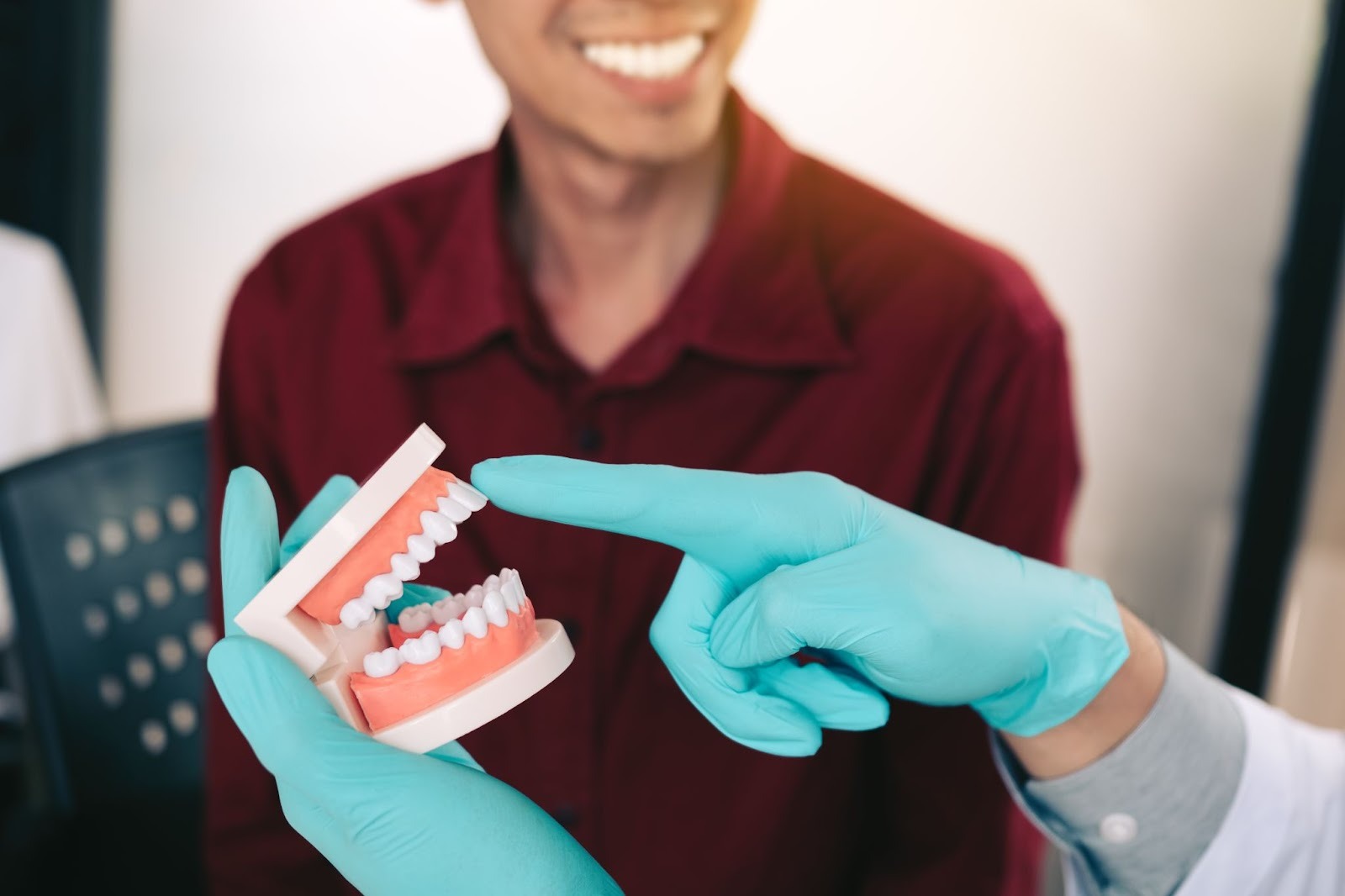
Conceptually, it is not a product but a workflow. Different practices use different tools, but the underlying idea is the same: document, analyse, plan, present, and then execute with your lab on board at each stage. Published digital smile design protocols describe this same sequence of diagnosis, digital planning, mock-ups and definitive restorations in more detail.
Why digital smile design matters for modern practice
Patients arrive with screenshots, Instagram filters and very high expectations. They may also have limited understanding of functional constraints, occlusion or biology. A structured design process helps you bridge that gap.
For many clinicians, the benefits include:
- Clearer communication with patients – visual simulations and mock ups make discussions about length, width, shade and gingival display far more concrete.
- More predictable case acceptance – patients can see where the treatment is heading before they commit.
- Better handover to your lab – records, design files and instructions reach the lab as a coherent package, not as scattered notes.
- Fewer remakes and fewer lengthy adjustments – the design has been tested digitally and, ideally, as a provisional trial smile.
Emerging evidence supports these everyday observations. A 2024 systematic review of 22 clinical studies on digital workflows for fixed prostheses found that fully digital approaches generally reduced working time and postoperative adjustments while achieving higher patient satisfaction than conventional methods. A 2025 prospective study of digitally driven smile creation with clear aligners and minimally invasive veneers reported that mean patient‑rated smile aesthetics improved from 4.8/10 at baseline to 9.8/10 after treatment when digital smile design pre‑visualisation was used.
Plan the face first and the teeth second digital smile design simply makes that philosophy visible for you, your patient, and your lab.
| Aspect | Analog wax-ups | Digital smile design workflow |
|---|---|---|
| Records | Impressions, stone models and 2D photos. | Intraoral scans, calibrated photos, video and 3D datasets. |
| Visualisation | Physical models; limited preview chairside. | On screen simulations plus printable or 3D printed mock-ups. |
| Communication | Notes and models shipped to the lab; harder to version-control. | Shared design files, annotations and cloud based records. |
| Adjustments & remakes | More chairside adjustment; remakes may need new wax-ups. | Design refined digitally first, helping reduce adjustment time and remake risk. |
Micro case example: Consider a typical 8 to 10 unit veneer case. A clinician captures calibrated photos and scans, runs a virtual wax up, and presents a printed mock up. The patient accepts treatment at the second consult, and final insertion is limited to minor incisal edge polishing instead of extensive reshaping.
Organisations such as the American Academy of Cosmetic Dentistry and the Australian Dental Association have long emphasised facially driven planning; digital workflows simply give you more precise tools for that same philosophy.
The 5 Stage Digital Smile Design Workflow
Every clinic develops its own nuances, but most digital smile design processes follow five broad stages. We group these into the 5 Stage Digital Smile Design Workflow described below.
Figure 1. 5 Stage Digital Smile Design Workflow — from records and facial analysis through to virtual planning, mock ups and final restorations.
1. Records and data capture
Good planning stands or falls on good records. A typical set includes:
- High quality extra oral and intra oral photos (frontal at rest, full smile, 45°, profile)
- Short videos for dynamic smile analysis, if your protocol supports it
- Intraoral scans of both arches and the bite registration
- Radiographs and CBCT when indicated
At NovaDent Labs, we receive full arch scans and photographs digitally, which reduces distortions and shipping delays compared with traditional impressions and printed photos.
2. Smile and facial analysis
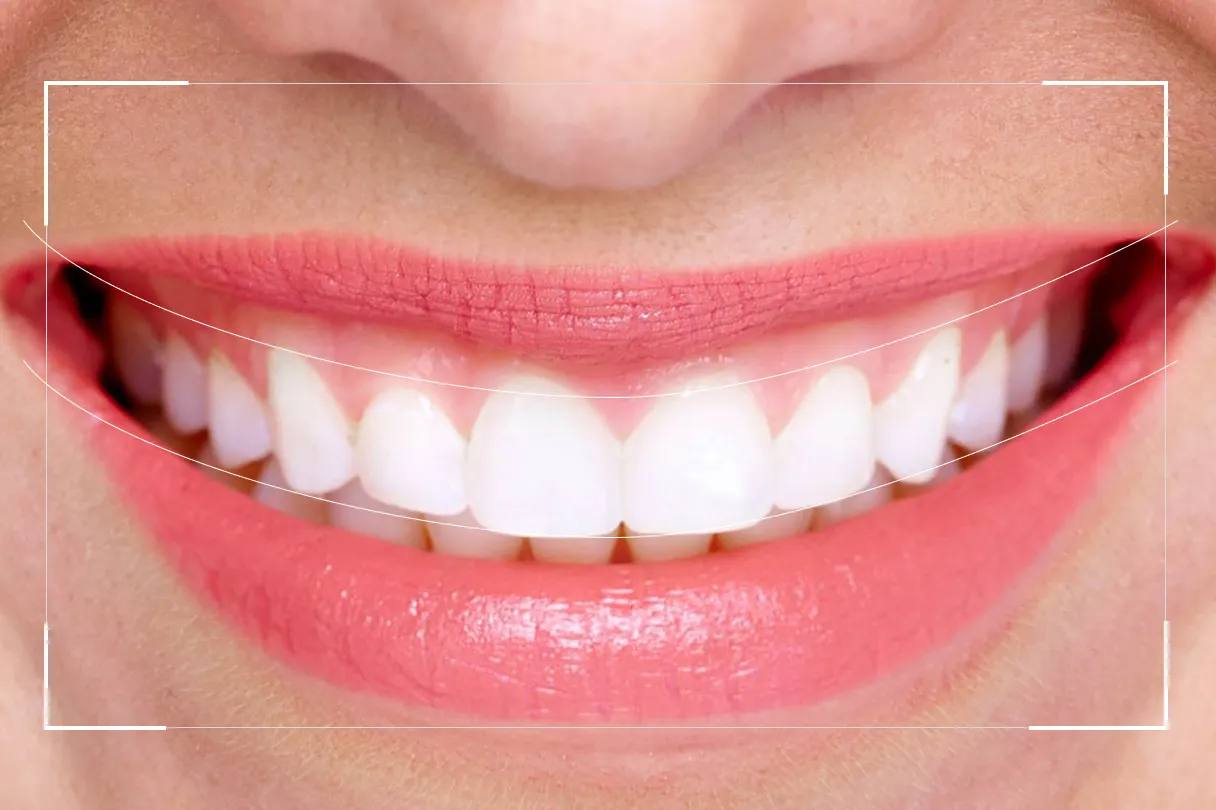
The next stage is to analyse how the current teeth interact with the face and lips. Most software lets you overlay reference lines and grids on your photos, such as:
- Facial midline and dental midline
- Inter pupillary line and occlusal plane
- Smile arc, incisal edge position and tooth display at rest
- Proportions of central, lateral and canine widths
This is where you decide how far you can lengthen incisors, whether gingival levels need adjustment, and how changes will affect phonetics and occlusion. Many clinicians use agreed protocols from cosmetic and restorative literature, often accessed through platforms like PubMed, as a conceptual reference point.
3. Virtual design in software
Once you have your reference lines, you move into the actual design stage. Using smile design software or integrated CAD modules, you can:
- Overlay ideal tooth shapes from a digital library
- Adjust length, width, axial inclinations and embrasure form
- Check symmetry and proportion against your facial references
- Preview different shades and surface textures
Many clinicians describe this as the “digital wax up”. For cases involving full coverage restorations, this may later be refined inside your lab’s CAD software to respect occlusal schemes and functional movements.
4. Patient presentation and mock up
A static screenshot rarely tells the full story. Where possible, practices present the design in two stages:
- 2D presentation – on screen or printed overlays on the patient’s own photos.
- Intra oral mock up – a 3D printed or lab made mock up, transferred with a silicone key and provisional material.
Patients can see themselves smiling, talking and laughing with the proposed form. Small changes to length or contour can be made at this stage, then recorded and communicated back to the lab.
5. Translating the design into provisional and final restorations
Once the design is accepted, preparation and execution follow. For example:
- Minimal prep or no prep veneers guided by the mock up
- Full coverage restorations for more extensive rehabilitation
- Implant restorations where missing teeth are involved
Your lab uses the approved design files as the reference for both provisionals and final restorations. At NovaDent, that might mean moving from the digital design to milled or printed provisionals, then to layered ceramics or monolithic materials for crowns and bridges or implant restorations.
What does smile design software actually do?
The specific interface differs between vendors, but most smile design software covers a familiar set of functions:
- Photo calibration and alignment – setting correct scales and reference lines.
- Tooth libraries – central, lateral and canine forms based on common smile styles.
- Measurement tools – width/height ratios, midline deviations, overjet/overbite estimation.
- Integration with CAD – exporting the proposed design into restorative design software.
- Presentation tools – side- by side before/after images or short video animations for case presentations.
From a lab perspective, the value comes when the software outputs usable data images with reference grids, PDFs, STL files or proprietary design files rather than just screenshots. Modern smile design CAD software is designed to feed these calibrated exports straight into restorative design workflows. That data allows a lab like NovaDent to reproduce what you agreed with the patient rather than guessing from hand-written notes.
If you are still early in your journey, our team can share practical tips on scanner settings, file formats and ideal records in our intraoral scanner connection guide.
Using digital smile design templates and libraries
Templates are one of the biggest time savers in this space. Instead of building every case from scratch, you use pre-set arrangements that reflect common smile types, then adjust them for the individual in front of you.
Typical digital smile design templates might include:
- “Natural youthful” anterior segment with softer line angles and higher translucency
- “Professional” style with squarer centrals and lower incisal embrasures
- Age options that respect wear, lip support and phonetics
These templates sit on top of facially driven principles, not instead of them. For example, you might begin with a template for a broad smile, then modify central length to respect lower lip curvature and gingival display in that one specific patient.
On the lab side, consistent template choices also keep communication smoother. When a practice sends repeat cases to NovaDent with similar digital smile design templates, technicians quickly understand a dentist’s aesthetic preferences and can match them from case to case, whether the work involves veneers, full arch bridges or implant retained dentures.
Working with your dental lab on digital smile design cases
A digital smile design workflow works best when the lab is involved early, not just at the end when the impressions arrive. That is especially true for complex wear cases, vertical dimension changes or multi unit implant work.
When you send a case to NovaDent, practical steps that help our technicians include:
- Sharing the original photos and your design overlays or report
- Including notes on which digital smile design template or tooth library you used
- Flagging patient priorities (e.g. “keen on a very white smile” vs “wants subtle, age appropriate change”)
- Providing provisional feedback photos of the mock-up in situ, highlighting what stayed and what changed
Those details reduce back-and-forth, support consistent results, and help keep your chairside adjustment time low.
Micro case example: Consider a full arch wear case where vertical dimension needs to be reestablished. By involving the lab at the virtual wax up stage and trialling the new vertical dimension with a printed mock up, the clinician can identify phonetic or aesthetic issues before final ceramics, rather than discovering them at fit.
Our ISO 13485 and TGA aligned processes, combined with CAD/CAM production, are set up to translate your designs into precise, repeatable outcomes, with most smile design cases delivered within our standard 5 to 9 in lab business day window.
Getting started with digital smile design cases at NovaDent Labs
If you are already capturing high quality photos and digital scans, you are most of the way there. The next step is to formalise your digital smile design process, choose software that fits your workflow, and partner with a lab that understands digital planning from a clinical and technical perspective.
NovaDent Labs works with general dentists and specialists across Australia on:
- Aesthetic veneer and crown cases with digital wax ups
- Full arch rehabilitations, including implant supported solutions
- Diagnostic mock ups and trial smiles based on your digital designs
If you would like practical guidance on file formats, scanner settings or case submission for your next smile design case, our team is happy to talk through a specific scenario and share what tends to work best in daily practice.
Request Price List and see how a digital-first lab partner can support your smile design workflow.
FAQs
Is digital smile design only for large cosmetic cases?
Not at all. While full smile transformations make good photos, the same workflow can apply to single anterior crowns, small veneer cases or mixed orthodontic restorative plans. Even a simple central incisor crown benefits from accurate midline, incisal edge and smile arc analysis.
Do I need to change my intraoral scanner or current software?
Most of the time, no. Digital smile design is software and protocol based. If your current scanner exports standard file types (STL, PLY, etc.), labs like NovaDent can work with them. Some practices start with stand alone smile design programs that sit alongside their usual restorative CAD system.
How long does a typical digital smile design case take?
That depends on the complexity of the case and how familiar your team is with the workflow. Record taking and initial planning may add some time at the start, but this is often offset later by smoother provisionals, clearer lab instructions and shorter adjustment appointments.
Is this article medical advice?
No. This content is for general education for dental professionals and does not replace your own clinical judgment, local regulations or individual patient assessment.
Related Posts
You may also be interested in
.png)
How to Find a Premium Dental Lab

Dental Implant Care: The Tooth May Be Artificial, But the Care Is Real
TMJ Splint vs Night Guard: What’s the Difference?
NovaDent Has Arrived.
Previously VTS Dental Labs.
Same team
Same standards
New identity
Visit our new website